Provide state-of-the-art image capture, screen capture, video capture and audio capture software

Capture Windows and Control Object
Next >> | Return to Features Tour
Using screen capture software - ACA Capture Pro to capture an entire window or just a predefined area within a window such as a control or button, it's only ONE click! very quickly and easily!
- Launch ACA Capture Pro. If you haven't installed ACA Capture Pro on your computer, click here to free download, and then install it.
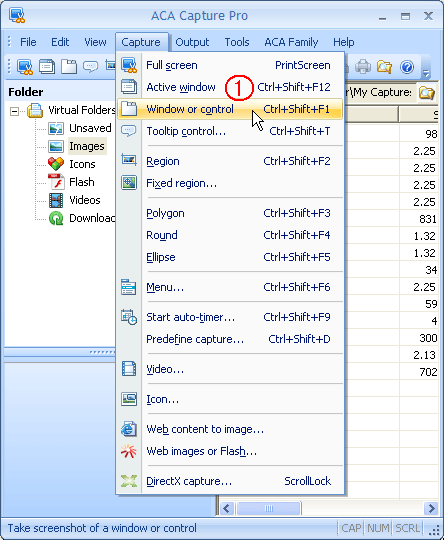
- Select the menu " Capture -> Window or Object" :
- A red blinking frame will appear around the target object, click with your left mouse button or press Enter key to select and capture the region around which the blinking frame surrounds.
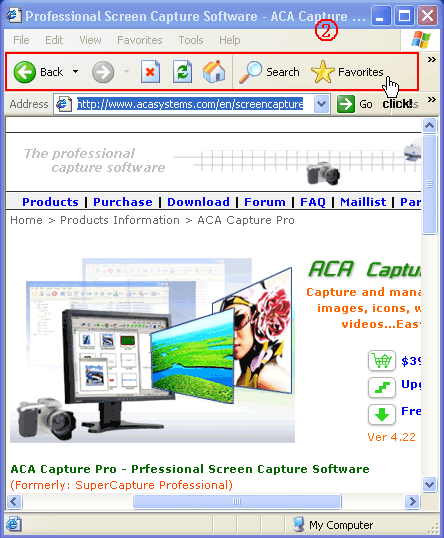
Now, we get an image of Internet Explorer's toolbar: